
New in TheMVP.ai 3.0
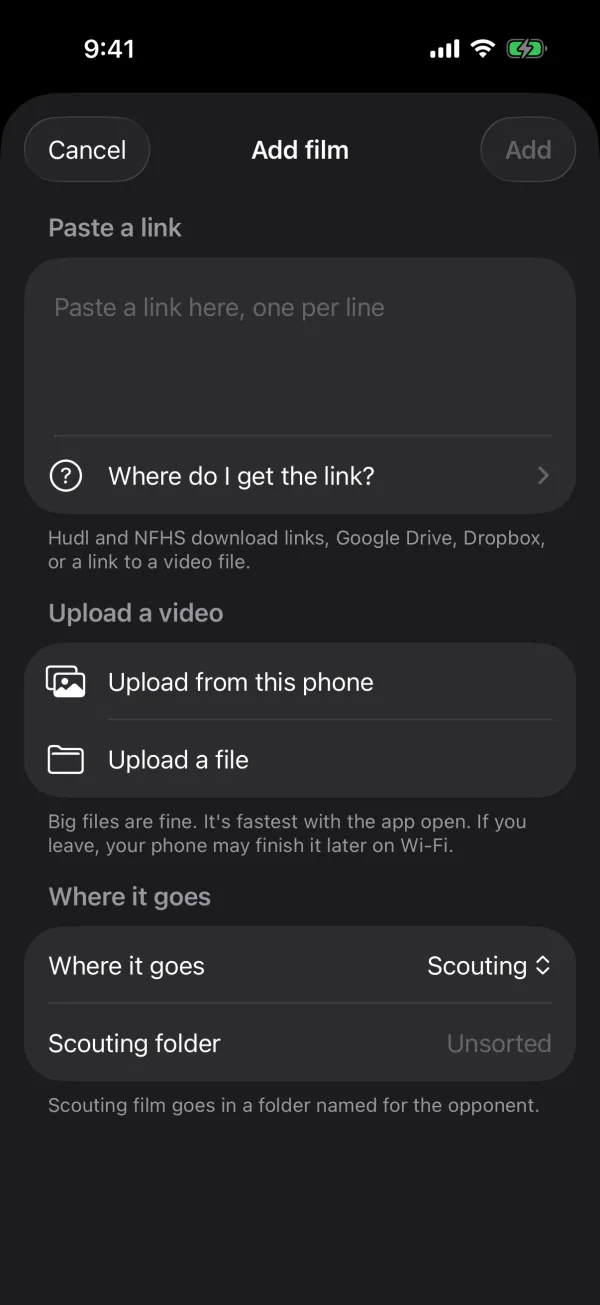
Upload game film from anywhere, into one team library.
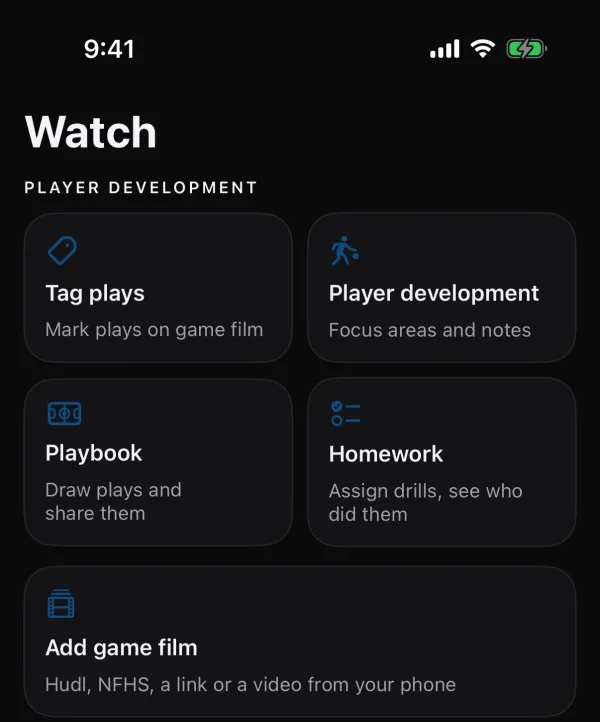
Hudl downloads, NFHS replays, a Google Drive or Dropbox link, or the video on your phone. Add film puts every game your team played into your club's own app, next to the games you stream with TheMVP.ai.
How it works
Three steps from any film to your team's app.
- 1
Paste a link or pick a video
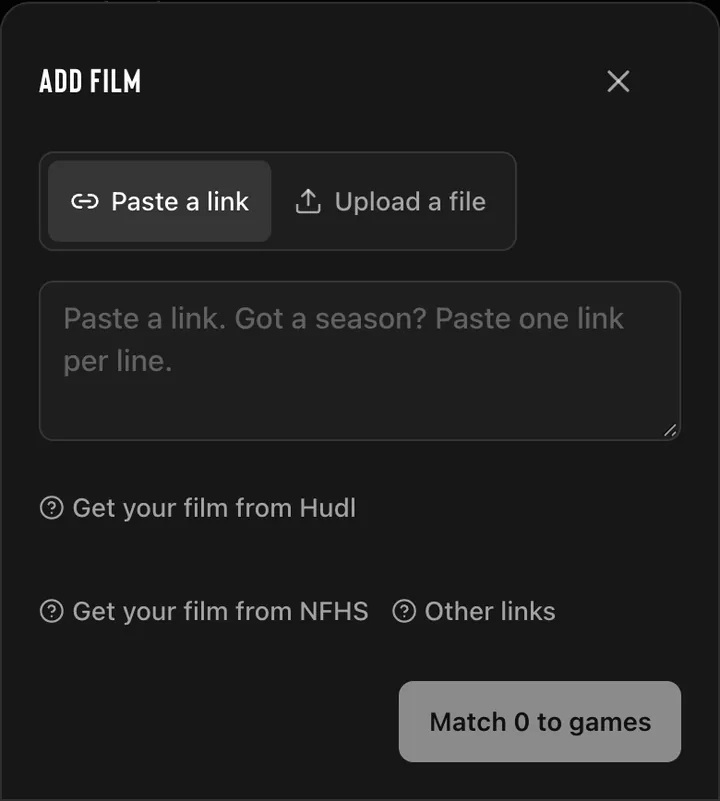
Paste a Hudl or NFHS download link, a Google Drive or Dropbox share link, or a link to a video file. Or upload straight from your phone or computer. Big files are fine, and an upload picks up where it left off if the connection drops.
- 2
Match it to the game
Film goes onto the game on your schedule, or into Scouting in a folder named for the opponent. Got a whole season? Paste the links or pick the videos together and each one is matched to your games by date and opponent. You check the matches, then add.
- 3
Your team watches
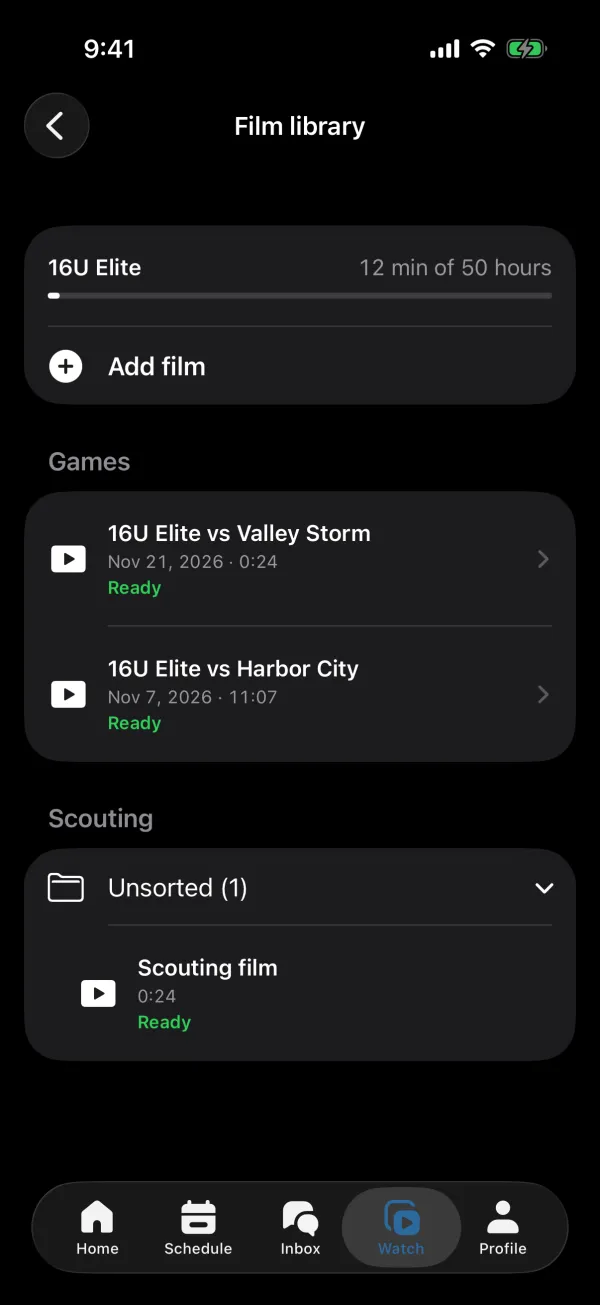
Film on a game plays in your club's app like any game you streamed, on iPhone, Android and the web. Scouting film stays in the coaches' Film library.
Real screens
Add film, in the app your families already use.
Where your film comes from
If you can download it, you can bring it in.
Hudl
Download the game from your Hudl library and paste the link Hudl emails you.
NFHS Network
Get the VOD file from the NFHS Events Console and paste the link.
Google Drive and Dropbox
Paste the share link to the video.
Your phone
Pick videos from the camera roll on iPhone or Android.
Your computer
Upload a file from the web dashboard, including Hudl zip downloads.
Any video link
A direct link to a video file works too.
Built for coaches
Every game and every scouting tape, in one place.
One film library per team
Games and Scouting in one place, with a folder for each opponent. Film with no game lands in Scouting, Unsorted, so nothing gets lost.
Bring your season
Paste many links or pick many videos at once. Each one is matched to a game by date and opponent, and you confirm before anything is added.
Room for the season
50 hours of imported film per team, per season. Games you stream with TheMVP.ai never count. Need more? Film Vault gives a team unlimited imported film for the season.
Next to your replays and highlights
Imported film sits in the same Watch tab as the full game replays and highlights from the games you stream with TheMVP.ai.
Coaches in control
Coaches and directors add and manage film. Families watch the games their team played, in the club's own app.
Checked before it plays
Every imported film is checked before it can play, the same as every other upload in your club's app.
Leaving Hudl?
Bring your film with you.
Download your games from Hudl, paste the links, and your season is in your club's app. The in-app guide walks you through it. Then stream next season's games with TheMVP.ai, and the replays land in the same library on their own. With Buzzer to Buzzer, new in 3.0, a gym Wi-Fi drop no longer leaves a hole in the replay: the streaming phone fills it in.
More on what TheMVP.ai does: live streaming, automatic highlights, TheMVP.ai vs GameChanger and every feature.
Questions
Game film questions, answered.
How do I upload game film from Hudl?
In Hudl, open your library, pick the game and choose Download. Hudl emails a download link to coaches and admins. Paste that link into Add film and the game comes in. The app has a step by step guide called Get your film from Hudl.
Can I bring in film from the NFHS Network?
Yes. In the NFHS Events Console, open the VOD and choose Get VOD File, then paste the link you get into Add film. The app has a guide called Get your film from NFHS.
Can I upload game film from my phone?
Yes. On iPhone or Android, tap Add film, then Upload from this phone and pick the videos. Big files are fine. It is fastest with the app open, and if you leave, your phone may finish the upload later on Wi-Fi.
Can I upload a whole season at once?
Yes. Paste one link per line or pick many videos together. Each film is matched to a game on your schedule by date and opponent, you check the matches, and anything without a game goes to Scouting, Unsorted.
How much game film can we store?
Each team gets 50 hours of imported film per season. Games you stream with TheMVP.ai are free and never count toward it. If a team needs more, Film Vault gives that team unlimited imported film for the season.
Can I bring film from GameChanger, Veo or another camera?
If you can save the game as a video file or get a download link to it, you can bring it in. A video saved to your camera roll uploads straight from your phone, and a file on your computer uploads from the web dashboard.
What about YouTube or Vimeo links?
Links to YouTube and Vimeo pages cannot be brought in directly. Download the video first, then use Upload a file.
Who can see the film?
Coaches and directors add and manage film. Film on a game plays for the team in the club's app, like any game you streamed. Scouting film stays in the coaches' Film library.
Is Add film available now?
Add film is new in TheMVP.ai 3.0, and we are turning it on club by club. Book a demo and we will set it up for your club.
Your whole season, in your club's app.
Add film is new in TheMVP.ai 3.0. Book a demo and we will turn it on for your club.